










PressMeGPT for AI Coding
- Subscription
- 4.21
- V1.0.0
AI WordPress Theme Generator
PressMeGPT is an AI-powered WordPress theme generator and website builder that helps users create clean, production-ready WordPress themes in minutes using simple text prompts. Instead of relying on bloated page builders, complicated plugin stacks, or expensive recurring subscriptions, PressMeGPT generates lightweight WordPress themes that you fully own after export.
Built by a team with over a decade of experience running a WordPress software company and marketing agency, PressMeGPT was created to solve the biggest frustrations in traditional WordPress development: slow design workflows, themes that never match demos, plugin dependency, subscription lock-in, and inefficient starting points for client projects.
With PressMeGPT, users can:
Generate WordPress themes from simple prompts
Convert existing websites into WordPress themes
Export Elementor, Gutenberg, or Classic WordPress themes
Customize layouts and sections with AI
Install themes on unlimited websites
Host themes anywhere without recurring fees
Unlike traditional website builders, PressMeGPT themes are yours forever once exported.
Key Features
AI-generated WordPress themes in minutes
Export as Elementor, Gutenberg, or Classic themes
No coding required
No required plugins or page builders
Lightweight and optimized for performance
Themes closely match the generated preview
No per-site subscriptions or lock-in
Works with popular Gutenberg block plugins like Stackable, Kadence Blocks, Spectra, GenerateBlocks, Greenshift, Qubely, Otter Blocks, and more
Convert designs from Wix, Squarespace, Webflow, Framer, Replit, , Lovable, Gemini, Claude, Base44, HTML sites, and other AI-generated platforms into WordPress themes
How It Works
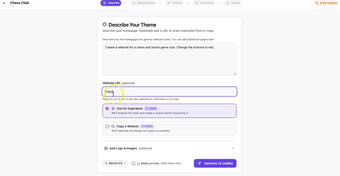
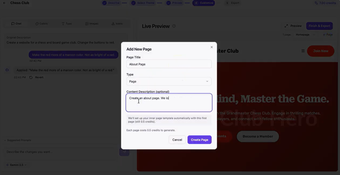
Describe your website idea with prompts
Choose from generated design variations
Customize sections with AI-powered editing
Export and install your WordPress theme
Who It's For
PressMeGPT is designed for:
Freelancers
Marketing agencies
Web development agencies
Small business owners
Bloggers and creators
Startup founders
Developers looking for clean WordPress foundations
It helps teams reduce design time, eliminate unnecessary plugins, speed up client work, and launch professional WordPress websites faster.
Core Philosophy
PressMeGPT was built around a simple idea:
Creating WordPress websites should be faster, cleaner, and ownership-friendly.
Instead of forcing users into ongoing subscriptions and bloated ecosystems, PressMeGPT focuses on generating portable, installable WordPress themes that work natively with WordPress itself.
No lock-in.No unnecessary complexity.Just AI-powered WordPress theme creation.
Loading…


App specs
License
Subscription
Version
1.0.0
Latest update
Platform
Web Apps
OS
Internet Explorer
Language
English
Developer
PressMeGPT for AI Coding
- Subscription
- 4.21
- V1.0.0
User reviews about PressMeGPT
Have you tried PressMeGPT? Be the first to leave your opinion!
Add reviewTop downloads AI Coding for Web Apps
Top downloads AI Coding for Web Apps
Top downloads AI Coding for Web Apps
Related topics about PressMeGPT
Latest articles

'Harry Potter' suffers a blow in its HBO Max series. One of its main actresses is leaving between seasons
Adobe Express vs Canva: Which Is Better for Non-Designers in 2026?

Woody is not just Tom Hanks: there is another person who voices the character from 'Toy Story'

The Boys has shown the first teaser of its new spinoff, but you won't be able to see it on the Internet yet

After the bad reviews, 'The Mandalorian and Grogu' could be the biggest failure in the history of 'Star Wars'
Laws concerning the use of this software vary from country to country. We do not encourage or condone the use of this program if it is in violation of these laws. Softonic may receive a referral fee if you click or buy any of the products featured here.